The ArtCraft Suite of Tools for Artists is here!
Native applications to replace many if not most Adobe products like Photoshop, Lightroom, After Effects, Adobe Acrobat etc. More info on Github page. https://github.com/storytold/
These AppImages are pulled directly from the developers GitHub page and verified checksums against published sha256sum from same Github page. These AppImages are exactly as the developer published them!
Note: New AppImages are pulled usually within 12 hours of being published on GitHub.
Here is the current list of ArtCraft packages in DeLinuxCo repo:
| icon | ArtCraft App | Replacement For |
|---|
 | designcraft-appimage | Adobe InDesign |
 | effectcraft-appimage | Adobe After Effects |
 | figcraft-appimage | Figma |
 | filmcraft-appimage | Adobe Premiere Pro |
 | lightcraft-appimage | Adobe Lightroom |
 | pdfcraft-appimage | Adobe Acrobat |
 | photocraft-appimage | Adobe Photoshop |
 | soundcraft-appimage | Avid Pro Tools |
 | texturecraft-appimage | 3D texture painting |
 | vectorcraft-appimage | Adobe Illustrator |
 | cadcraft-appimage | AutoCAD |
 | wordcraft-appimage | Microsoft Word |
 | gridcraft-appimage | Microsoft Excel |
 | deckcraft-appimage | Microsoft PowerPoint |
Installing the apps:
There are two ways to install, either one app at a time or by using the meta package
artcraft-suite
You can use Pamac and use the search box by typing “craft-appimage“, this will display all of the AppImages by ArtCraft, then you can select the one you want to install.
Second method is to install the artcraft-suite meta package to install all ArtCraft packages, or artcraft-office-suite meta package to install just WordCraftraft, GridCraft & DeckCraft
Note: installing artcraft-suite, means that when a new ArtCraft application is added to the meta package, the package manager will download the new application along side any updates, just an FYI.
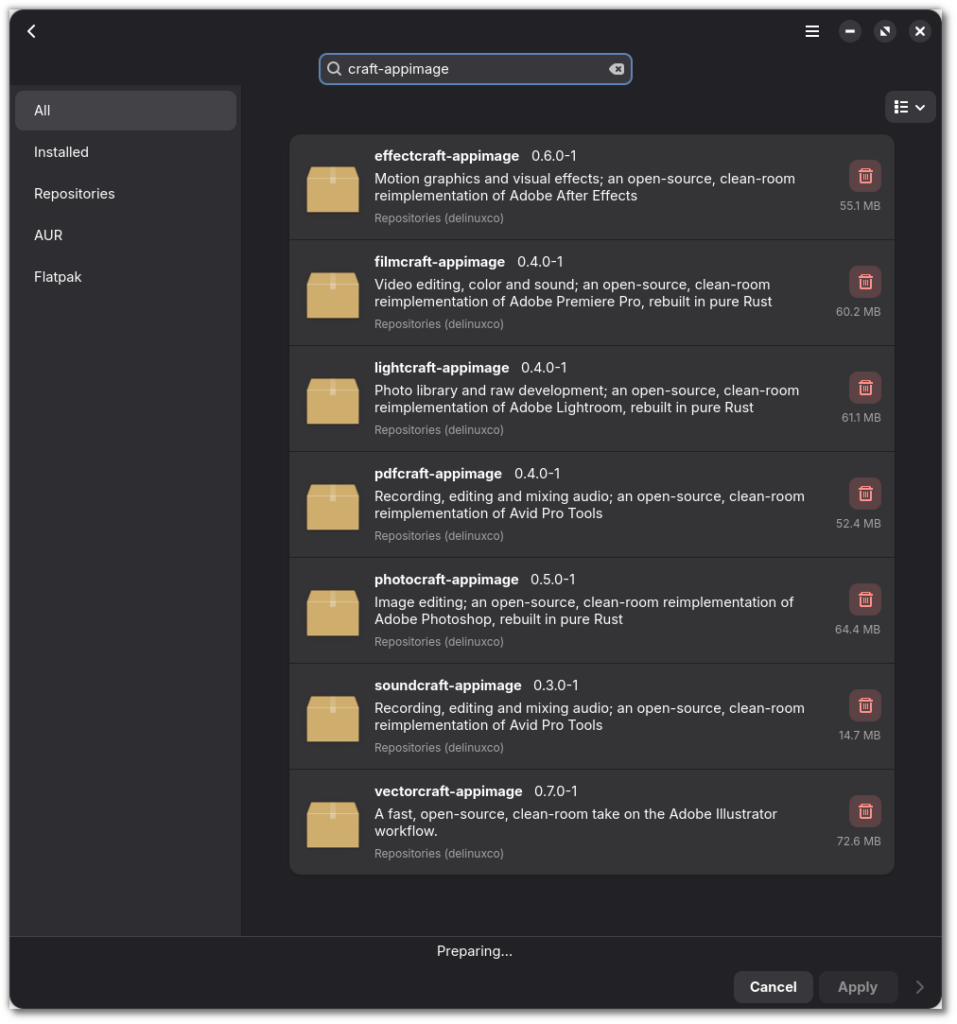
Some screenshots