Linux Linux fractional Scaling in Cinnamon Desktop by John Machado Feb 10, 2020 Linux Fractional Scaling in Cinnamon Desktop is easily achievable with three simple steps. Visit the “After Install” section for a detailed how to. Adjusting text/font scaling is only one step. Go to After-Install page. Share this: Share on Facebook (Opens in new window) Facebook Share on X (Opens in new window) X Like this:Like Loading… Cinnamon DesktopScreen Scaling
Related Posts Linux LinuxMint LMDE 6 Released Linux Install Linux on intel iMac, MacBook or MacBook Pro Linux Virtual Machine Manager w/UEFI support Linux DeLinuxCo 19.0.2 is out! Linux Welcome to DeLinuxCo Workstation
2 comments JohnIL February 26, 2021 at 10:36 am Only adjusting text not much else? How is this comparable to scaling everything?? Yes, it is a option if only you find text/fonts too small and other graphical parts OK. Makes better sense then dealing from a terrible implementation of fractional scaling. Which still seems like it may never fully get to what MacOS or Windows has in sharpness and complete cohesiveness. The only real scaling in Linux is native 100% or 200%, 300%. Or simply lowering resolution until everything is legible. Otherwise the issues with fractional scaling are there, such as blurry fonts, apps that do not scale, and other graphical things and performance issues. So many things to fix I am surprised it was released into a mainstream position. To me fractional scale is still a work in progress. Loading... Reply dlc_admin March 7, 2021 at 6:34 pm You have to click on the link above the picture… “After-install”. There you will have all of the details. Loading... Reply
Leave a ReplyCancel reply This site uses Akismet to reduce spam. Learn how your comment data is processed.
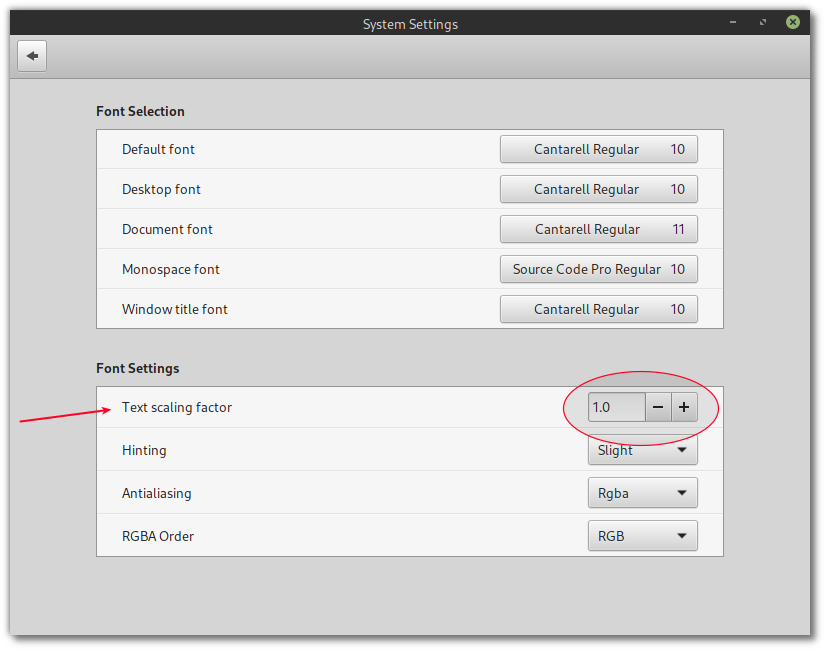 Adjusting text/font scaling is only one step.